
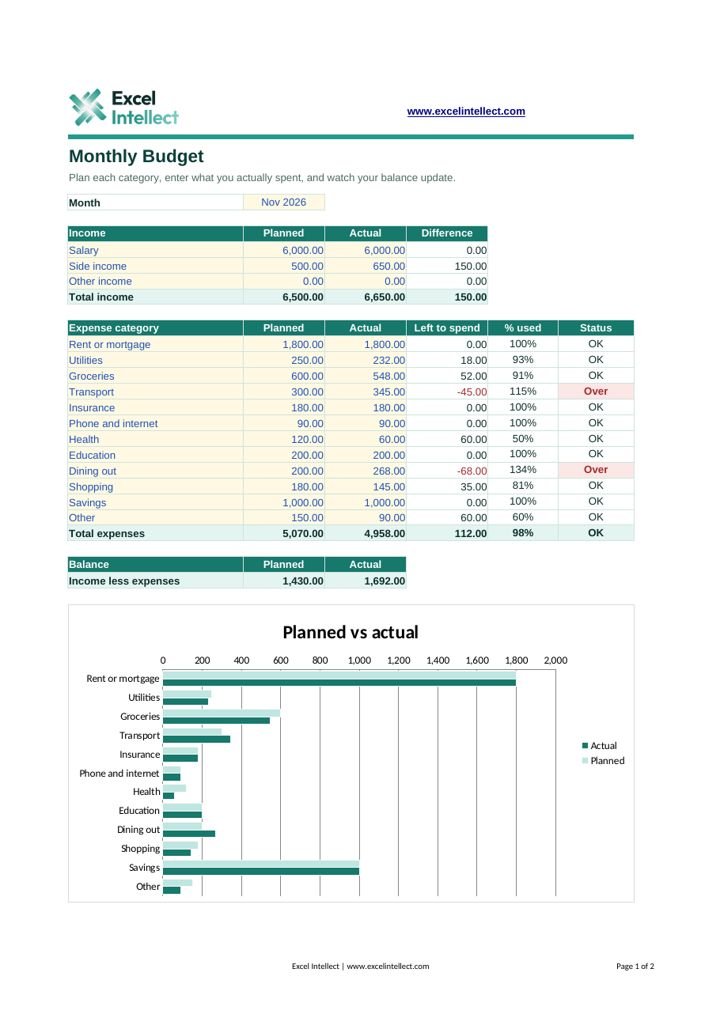
Monthly Budget
Twelve categories with planned and actual amounts, status flags, a live balance and a chart.
20 files, ready to use. Click Download and the file saves straight away. No sign-up.
Twelve categories with planned and actual amounts, status flags, a live balance and a chart.
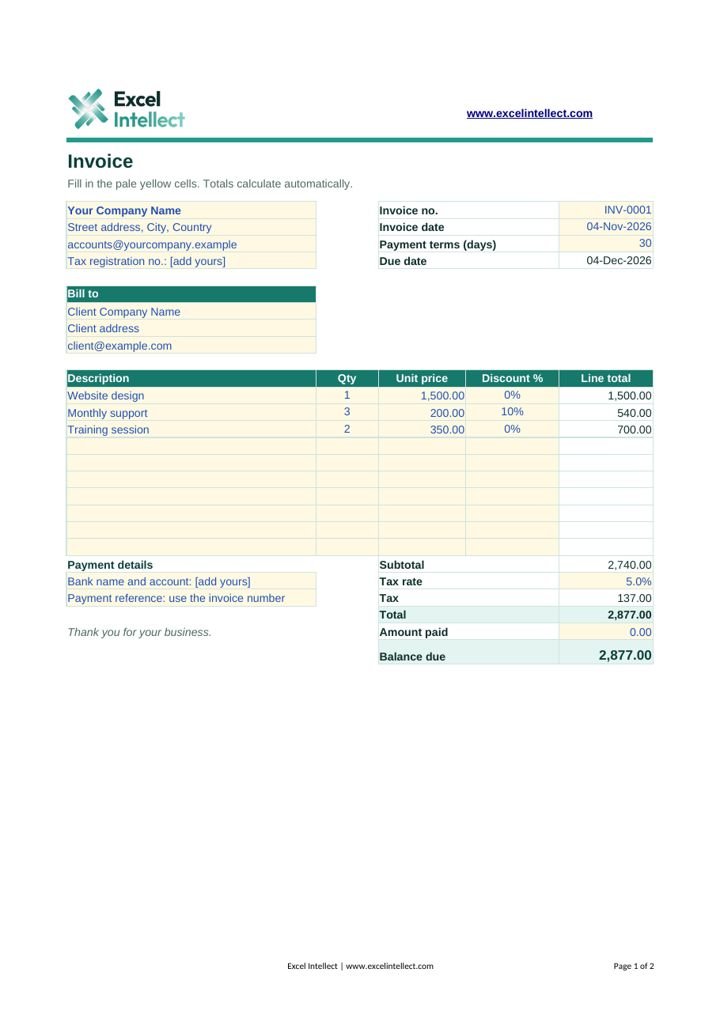
A print-ready invoice with discounts, tax, due date and balance due.
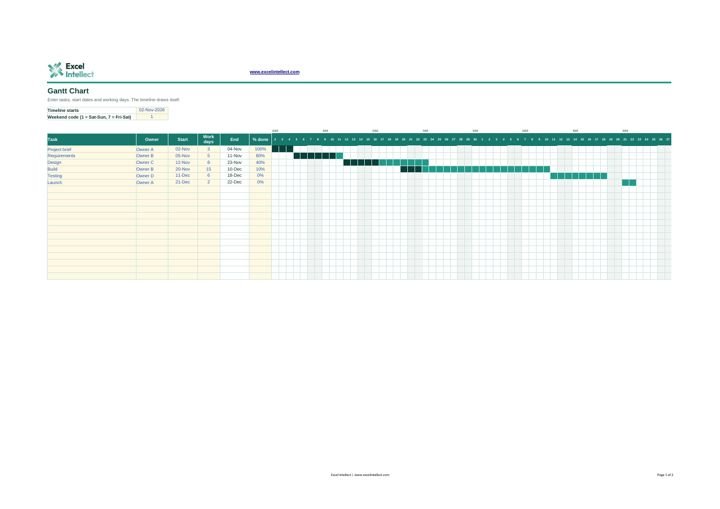
Enter tasks and working days. End dates skip weekends and the 56-day timeline draws itself.
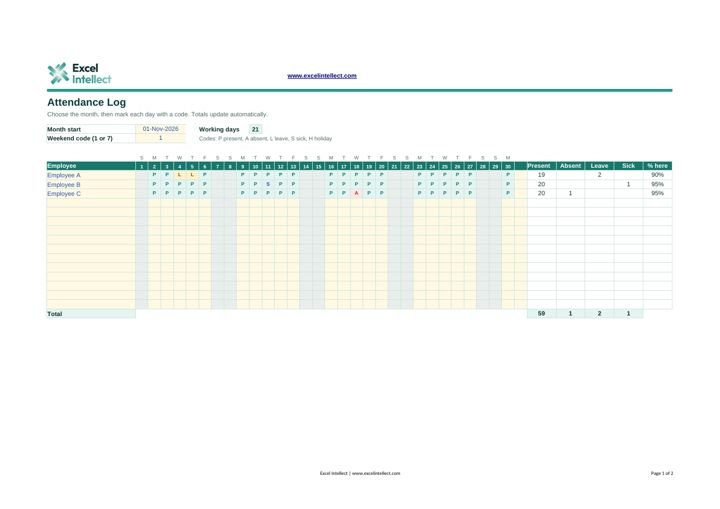
Monthly attendance codes with dropdowns, color coding, a weekend setting and automatic totals.
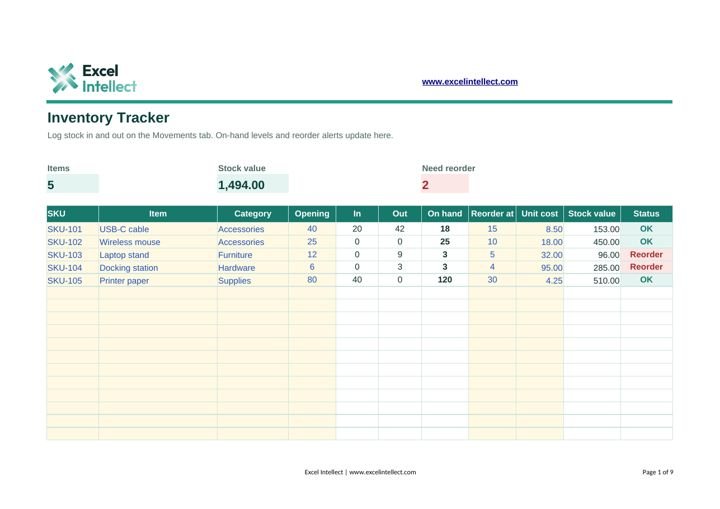
Log stock in and out. On-hand levels, stock value and reorder alerts update by themselves.
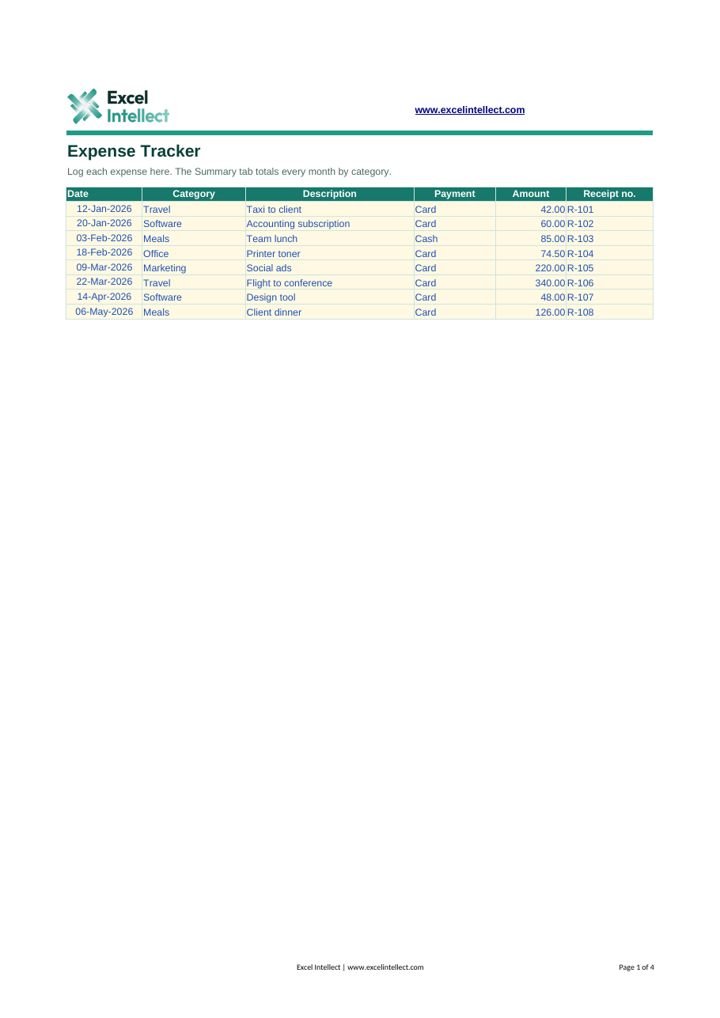
Log expenses by date and category. A summary tab totals each month and charts the year.
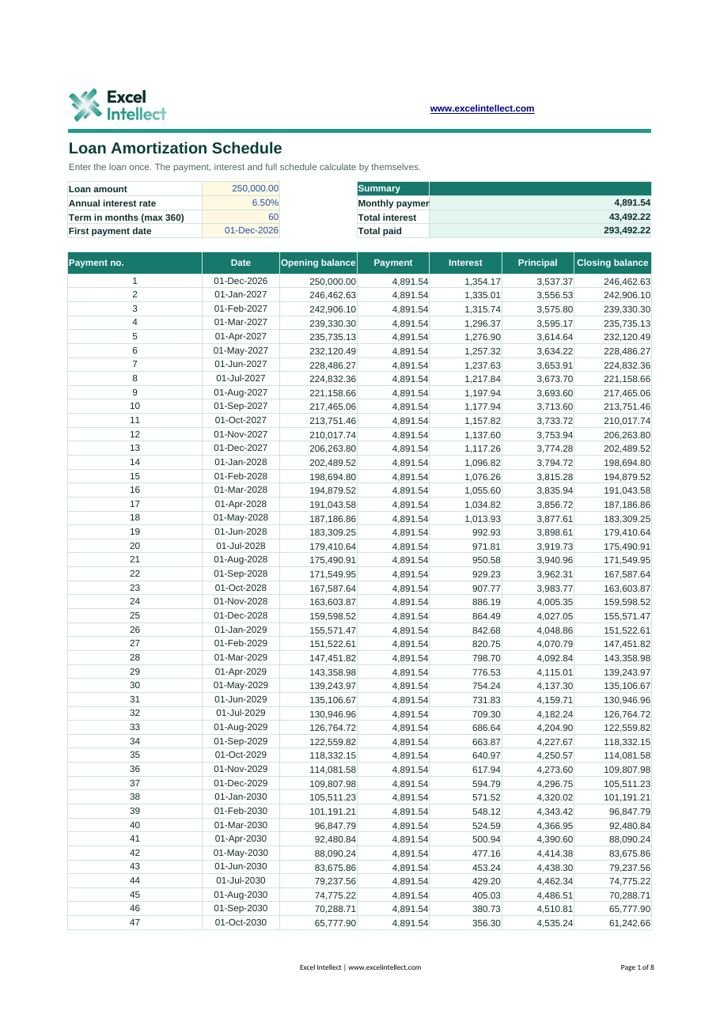
Enter a loan once and get the payment, total interest and a full payment schedule.
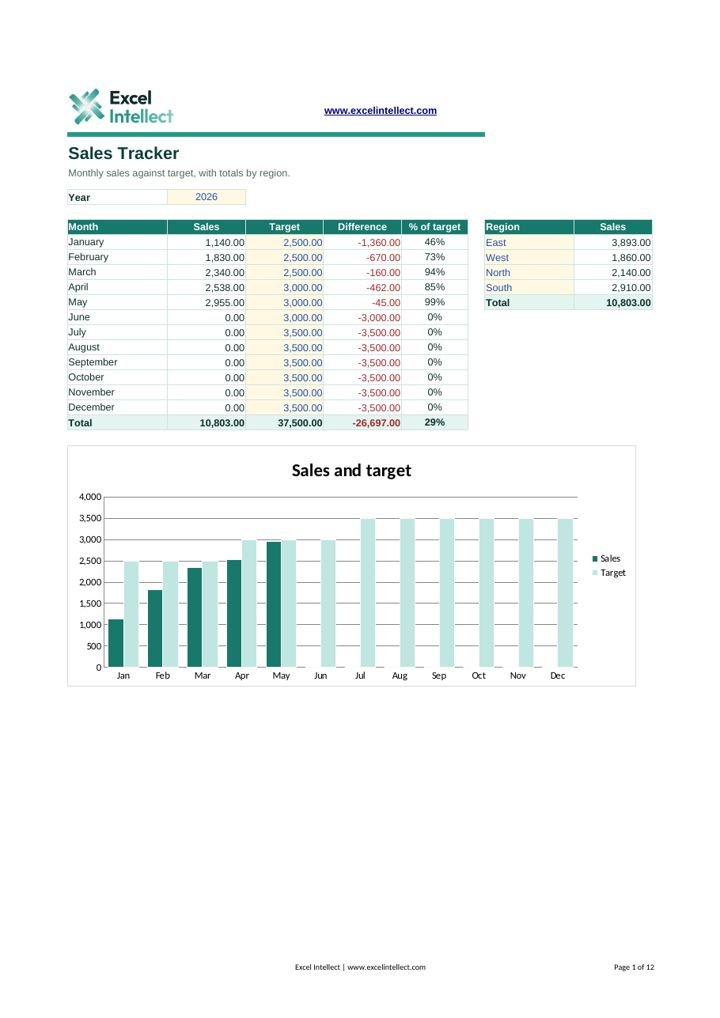
Log each sale, then see monthly sales against target and totals by region.
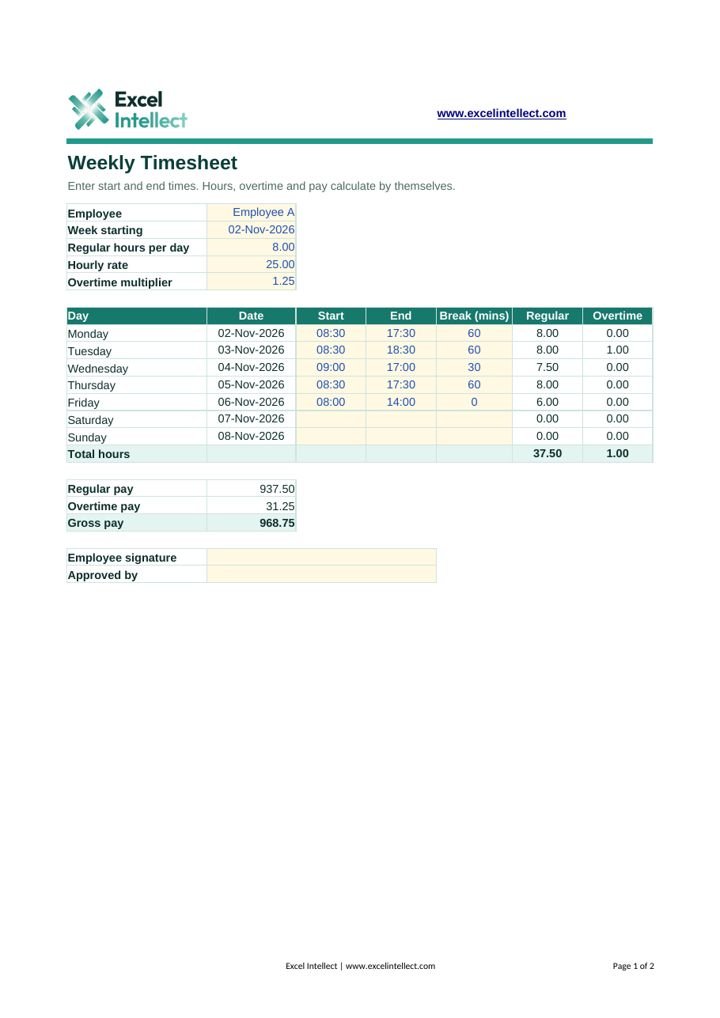
Enter start and end times. Hours, overtime and gross pay calculate by themselves.
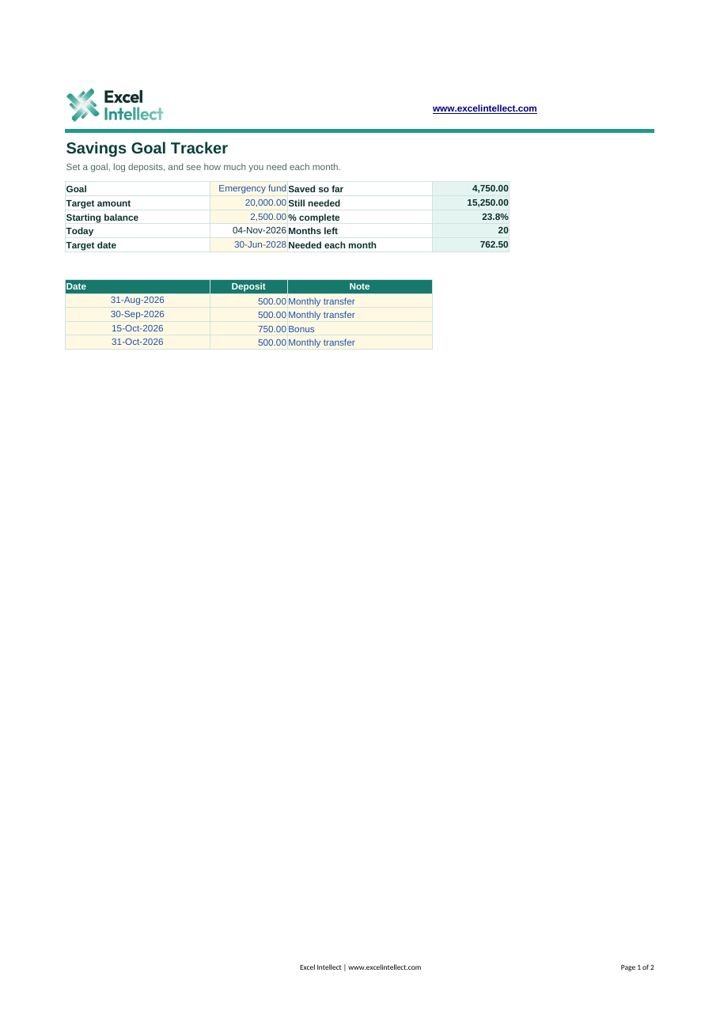
Set a goal, log deposits and see how much you need to save each month.
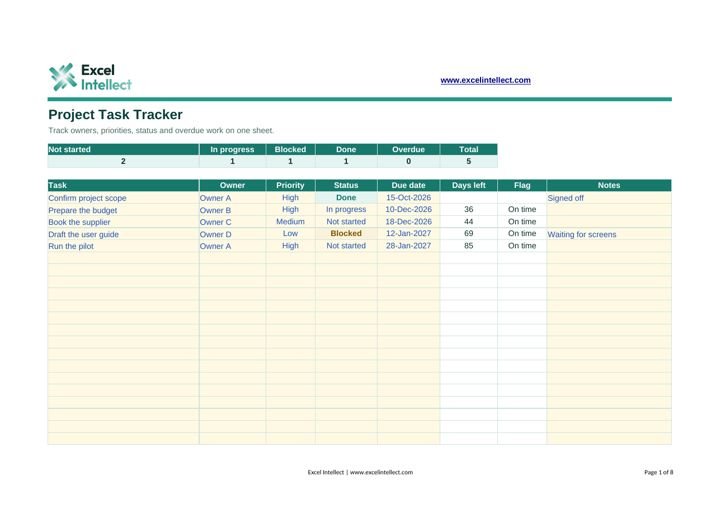
Track owners, priorities, status and overdue tasks on one sheet.
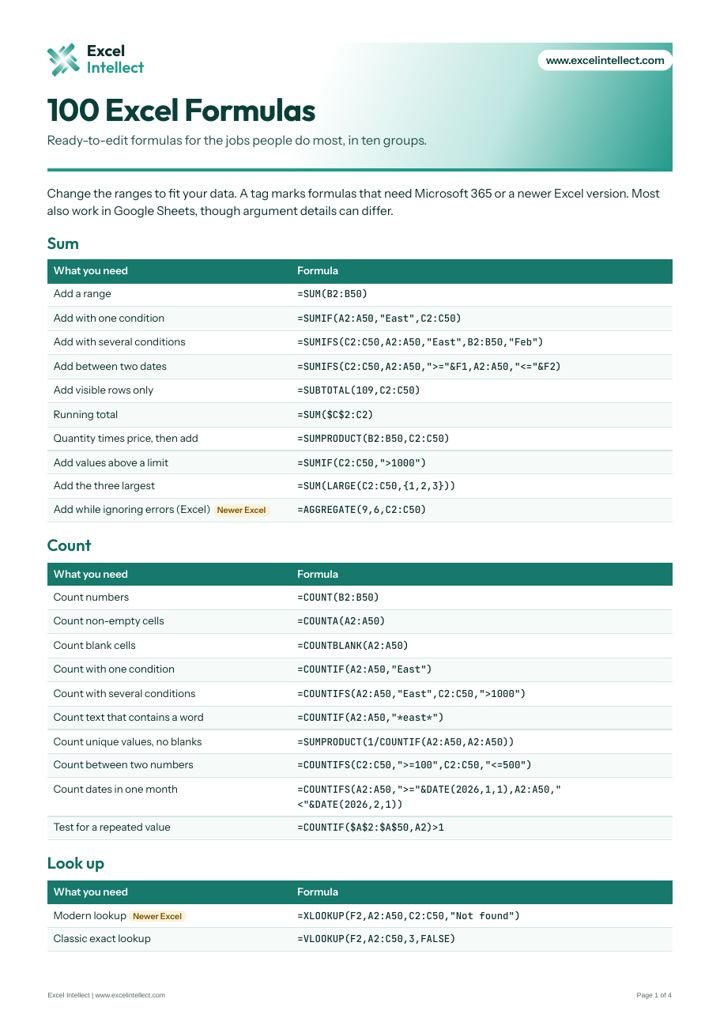
Ready-to-edit formulas for sums, lookups, text, dates, statistics and cleaning data.
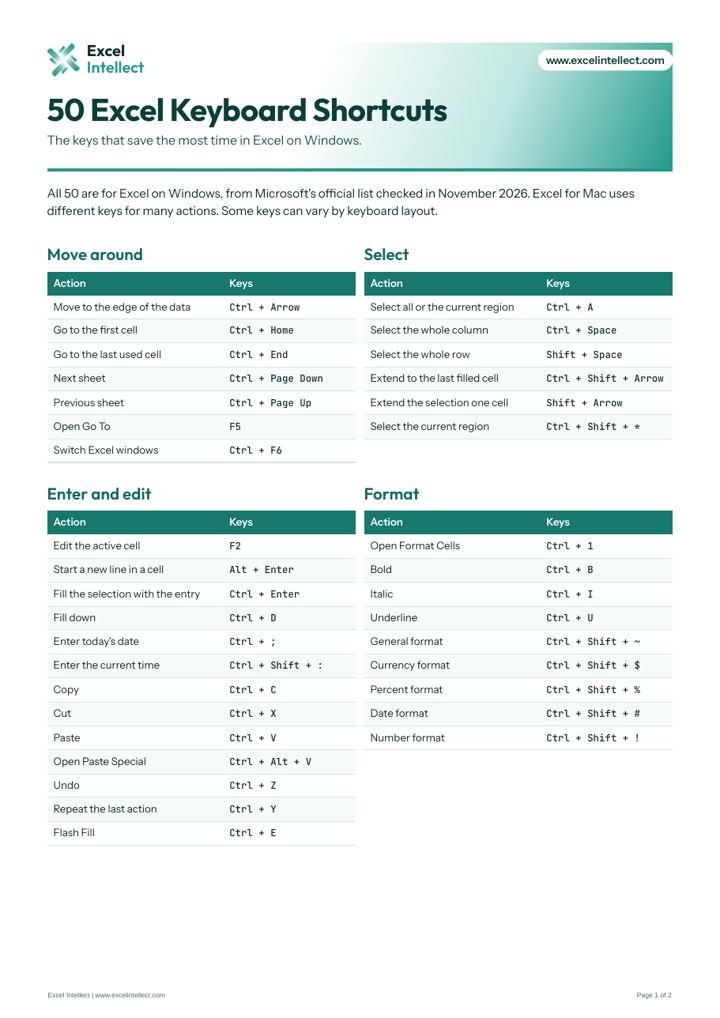
The keys that save the most time, from Microsoft's official list for Windows.
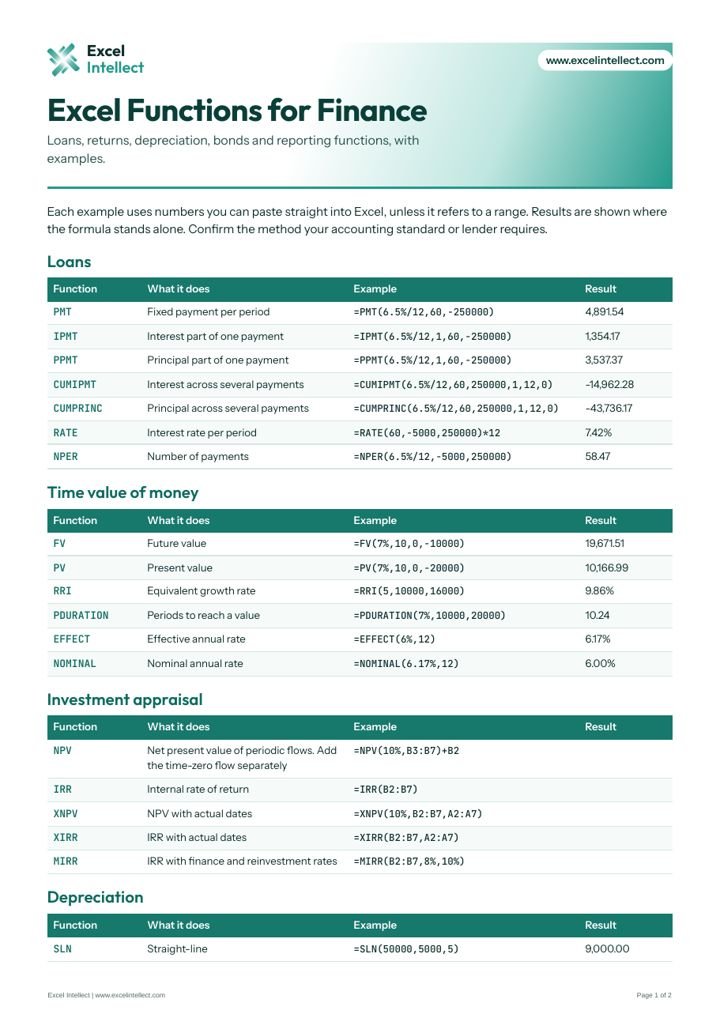
Loans, returns, depreciation, bonds and reporting functions, with worked examples.
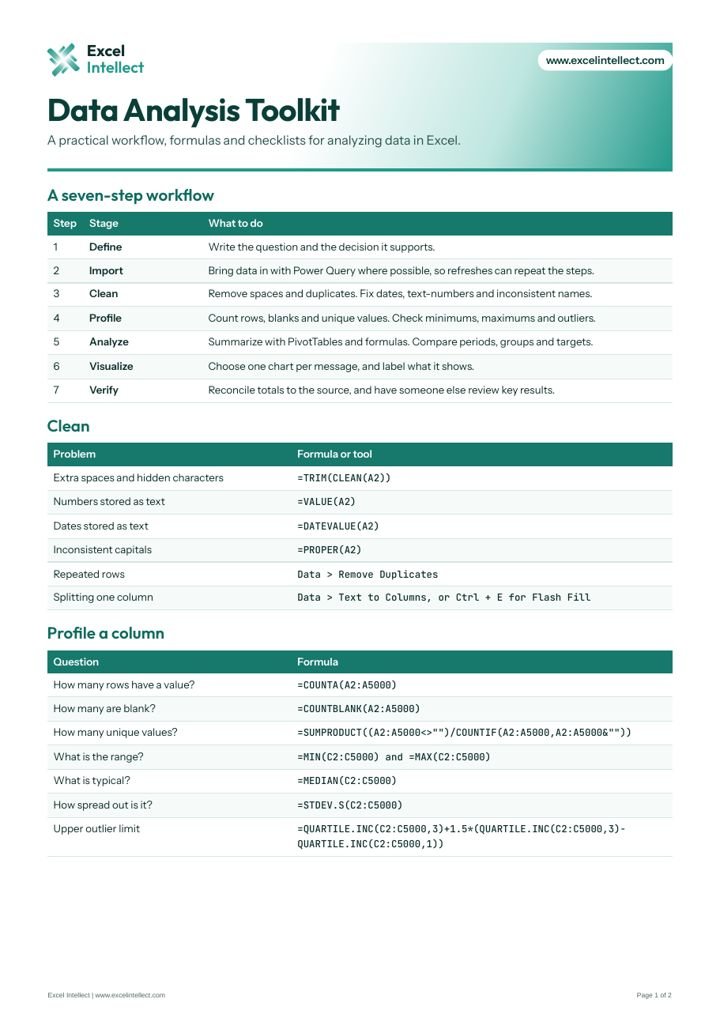
A seven-step workflow with cleaning formulas, profiling checks and a chart guide.
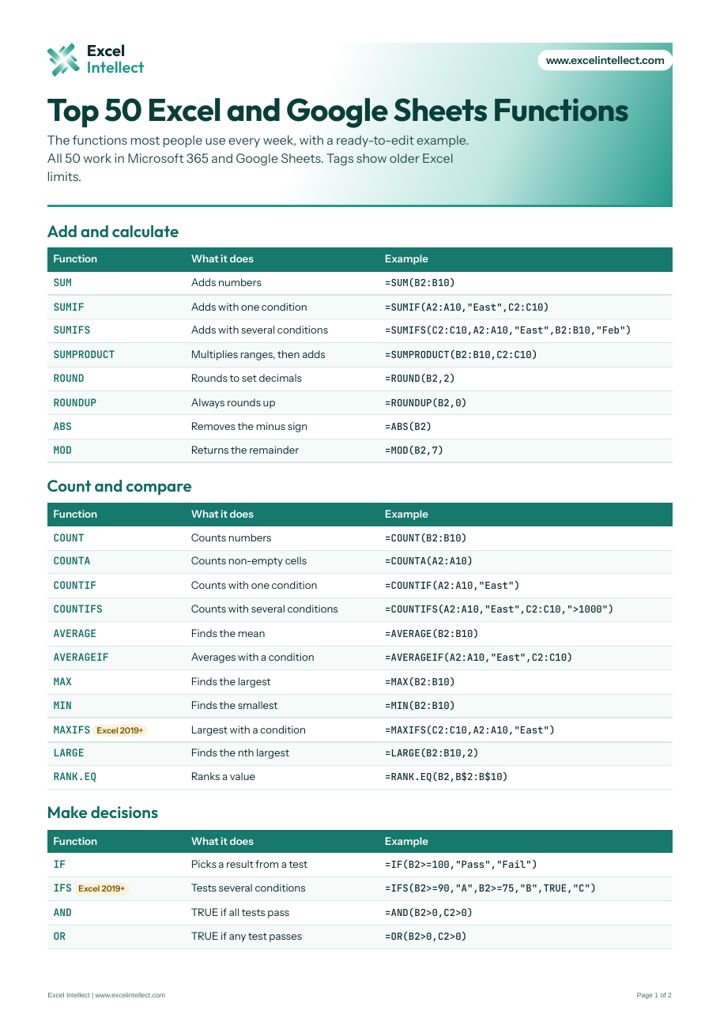
Syntax and examples for the 50 functions people use most, in Excel and Google Sheets.
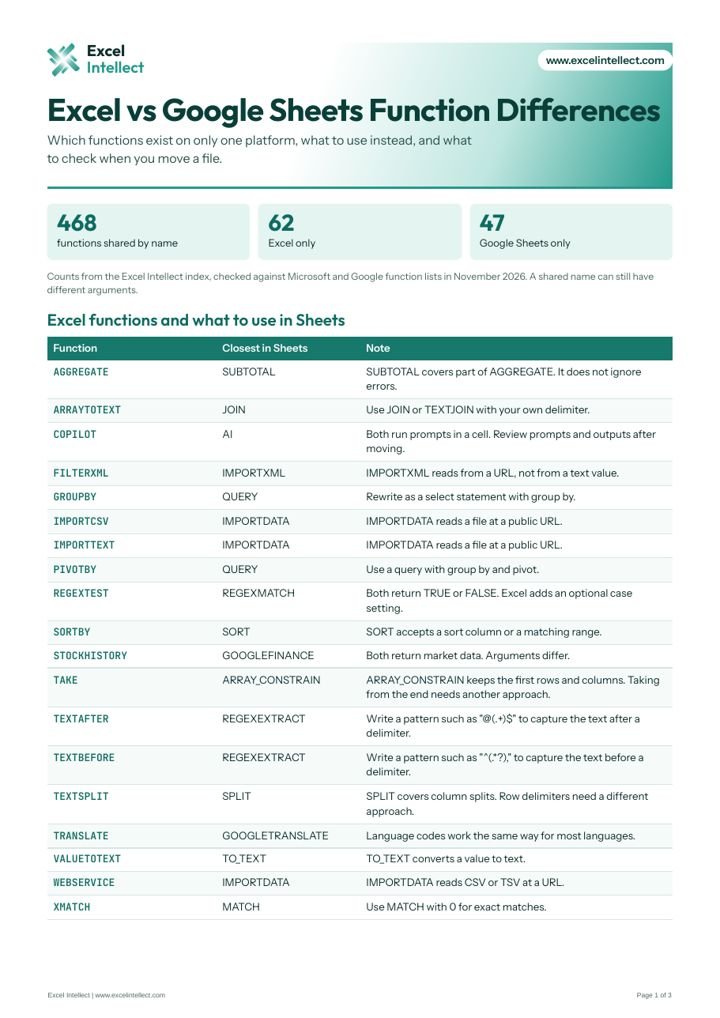
Key differences, and the closest match for functions that do not move.
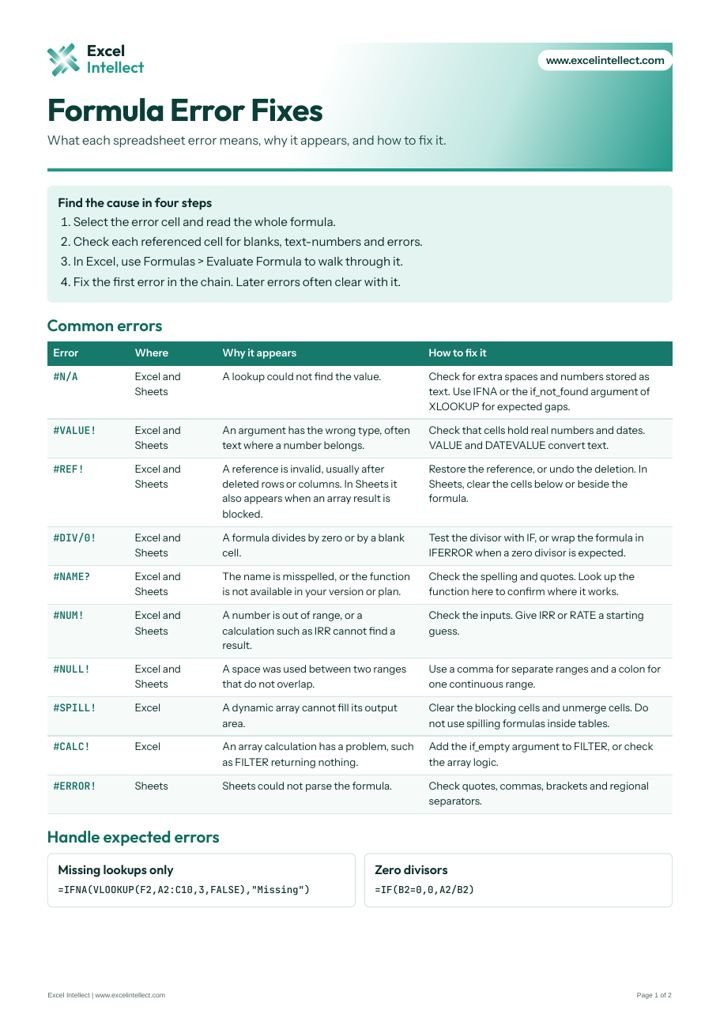
Why each error appears, how to clear it, and common fix formulas.
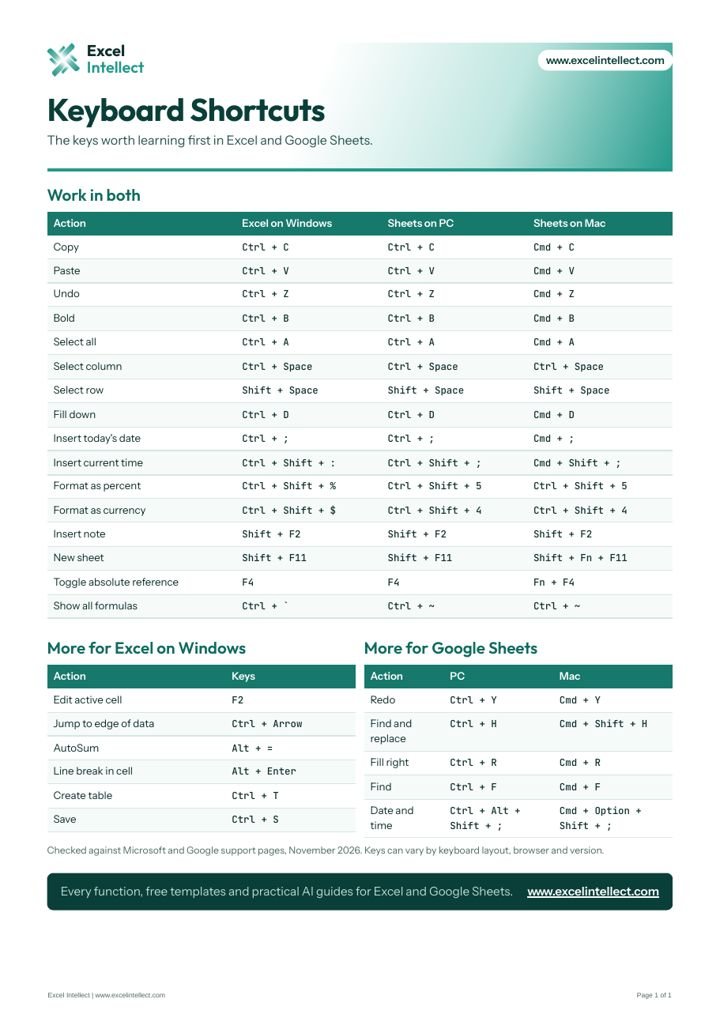
Excel on Windows and Google Sheets shortcuts side by side.
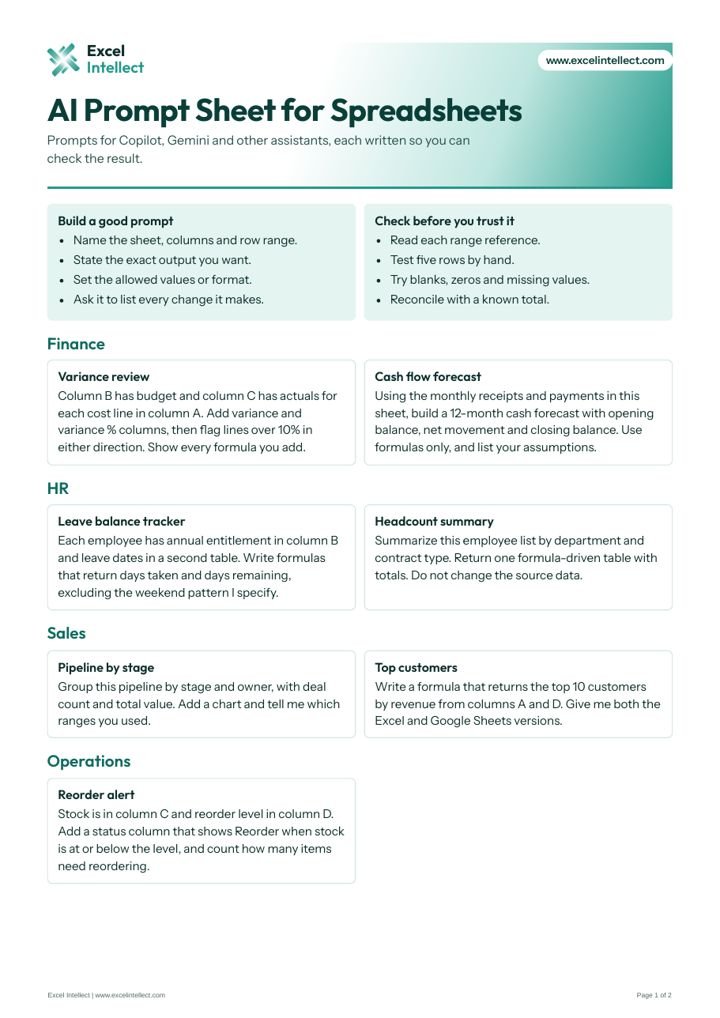
A five-part prompt pattern, ready prompts and checks for AI output.
Files are free for personal and business use. Please do not resell them. Excel may open a downloaded file in Protected View, so select Enable Editing to use it.