
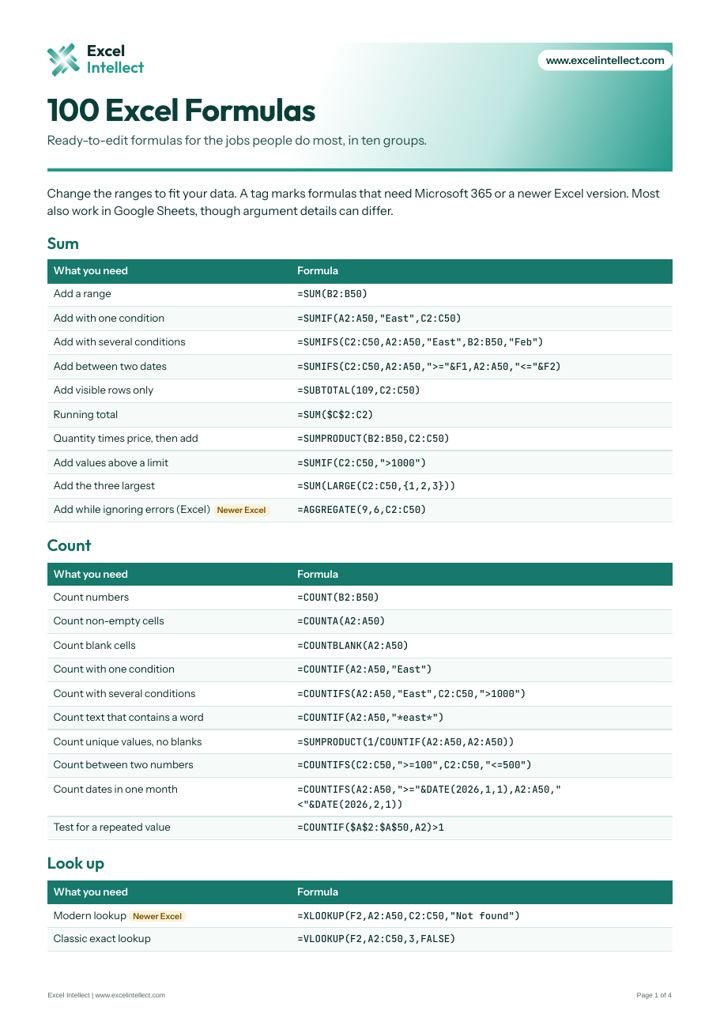
100 Excel Formulas
Ready-to-edit formulas for sums, lookups, text, dates, statistics and cleaning data.
Pick a path, or jump to a feature guide, shortcut table or cheat sheet.
Move around a workbook and write your first formulas.
5 modulesSummarize real data without manual work.
5 modulesBuild formulas that scale and reports that update.
5 modulesModel loans, forecasts and cash flow.
5 modulesClean, join and explain data.
5 modulesUse AI with judgment and verify the result.
5 modulesSome keys vary by keyboard and browser settings.
| Action | Excel on Windows | Sheets on PC | Sheets on Mac |
|---|---|---|---|
| Copy | Ctrl + C | Ctrl + C | Cmd + C |
| Paste | Ctrl + V | Ctrl + V | Cmd + V |
| Undo | Ctrl + Z | Ctrl + Z | Cmd + Z |
| Bold | Ctrl + B | Ctrl + B | Cmd + B |
| Italic | Ctrl + I | Ctrl + I | Cmd + I |
| Underline | Ctrl + U | Ctrl + U | Cmd + U |
| Insert a link | Ctrl + K | Ctrl + K | Cmd + K |
| Select all | Ctrl + A | Ctrl + A | Cmd + A |
| Select the whole column | Ctrl + Space | Ctrl + Space | Ctrl + Space |
| Select the whole row | Shift + Space | Shift + Space | Shift + Space |
| Fill down | Ctrl + D | Ctrl + D | Cmd + D |
| Insert today's date | Ctrl + ; | Ctrl + ; | Cmd + ; |
| Insert the current time | Ctrl + Shift + : | Ctrl + Shift + ; | Cmd + Shift + ; |
| Currency format | Ctrl + Shift + $ | Ctrl + Shift + 4 | Ctrl + Shift + 4 |
| Percent format | Ctrl + Shift + % | Ctrl + Shift + 5 | Ctrl + Shift + 5 |
| Toggle absolute reference | F4 | F4 | Fn + F4 |
Ready-to-edit formulas for sums, lookups, text, dates, statistics and cleaning data.
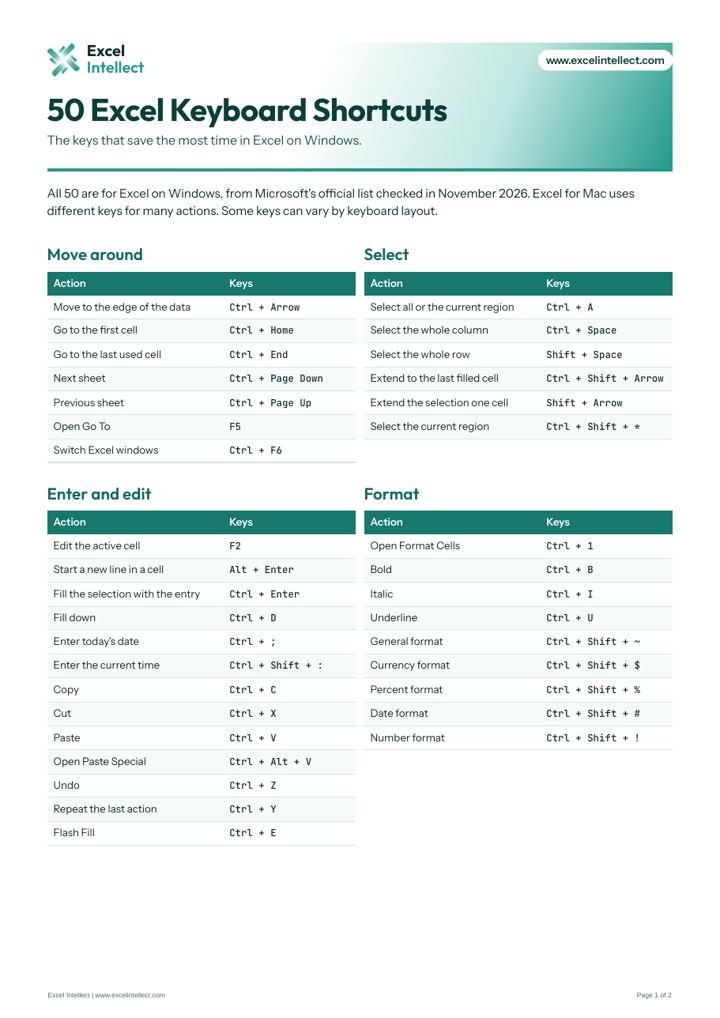
The keys that save the most time, from Microsoft's official list for Windows.
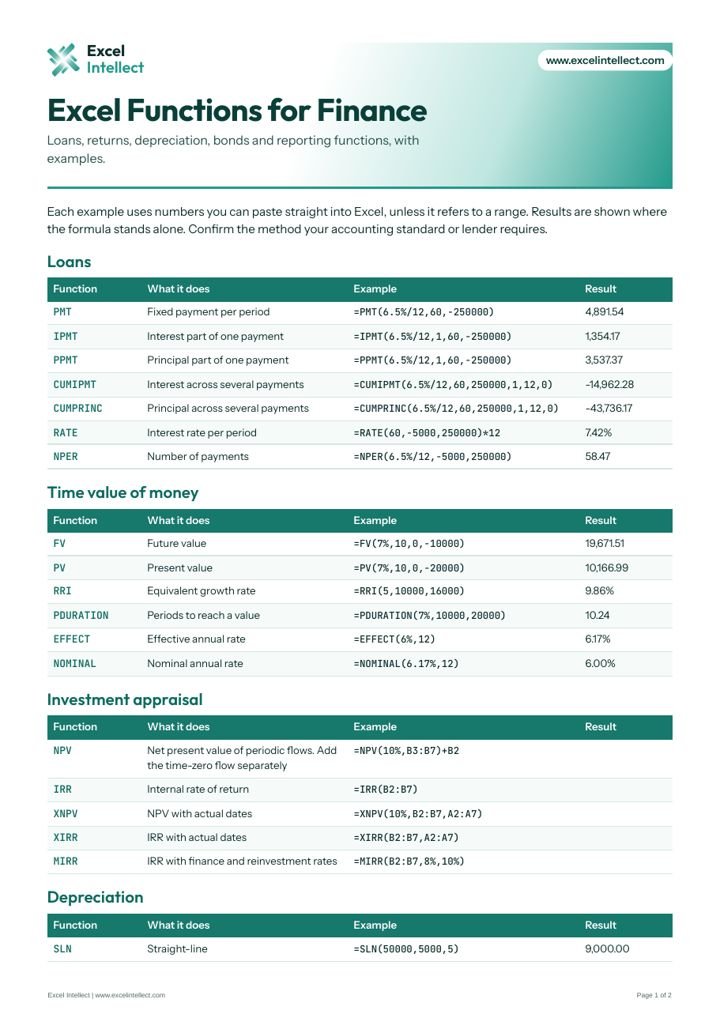
Loans, returns, depreciation, bonds and reporting functions, with worked examples.
More guides are on the way.
New functions import a text or CSV file with a formula. One 2026 comparison lists them as Insiders preview. Exceljet newsletter
Copilot can generate a multi-step plan, highlight its changes for one turn, and use Python while editing. Neowin
Return a tab position and the total number of tabs, matching Excel. SpreadsheetWeb